
Know your store is safe to publish, and know the moment something breaks.
Theme updates break stores quietly. StoreGuard shows you exactly what changed, before your customers find it.
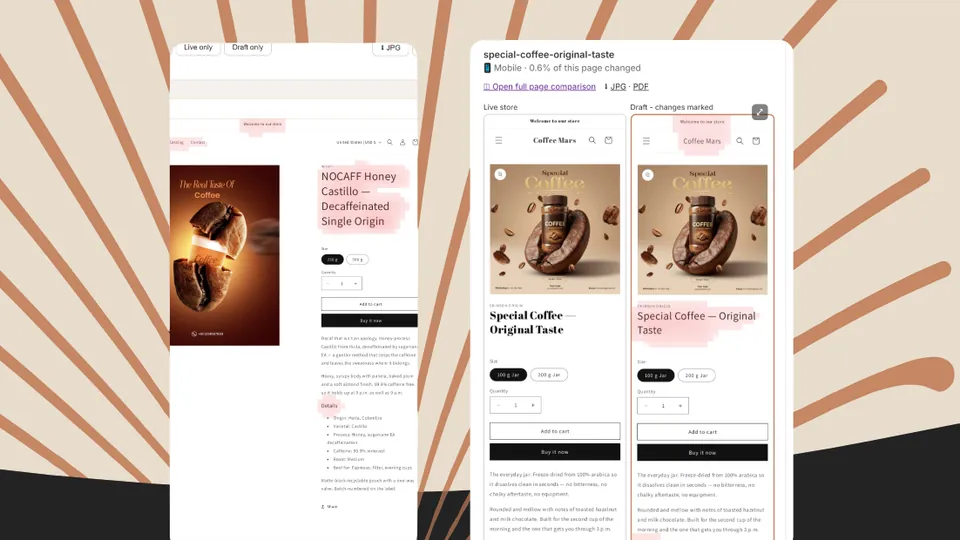
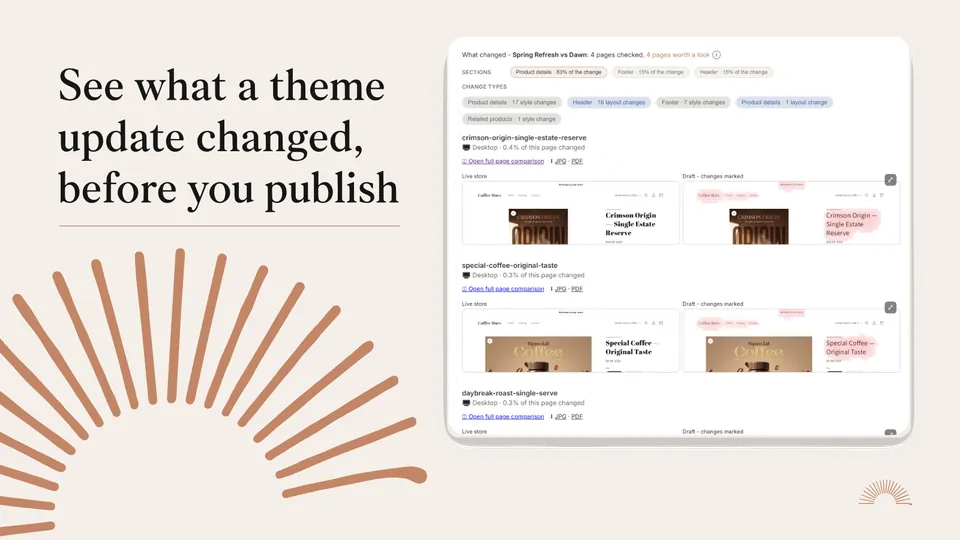
Your draft next to your live store
Compare the draft with your live store, page by page. Every difference is marked and traced to the section it came from.
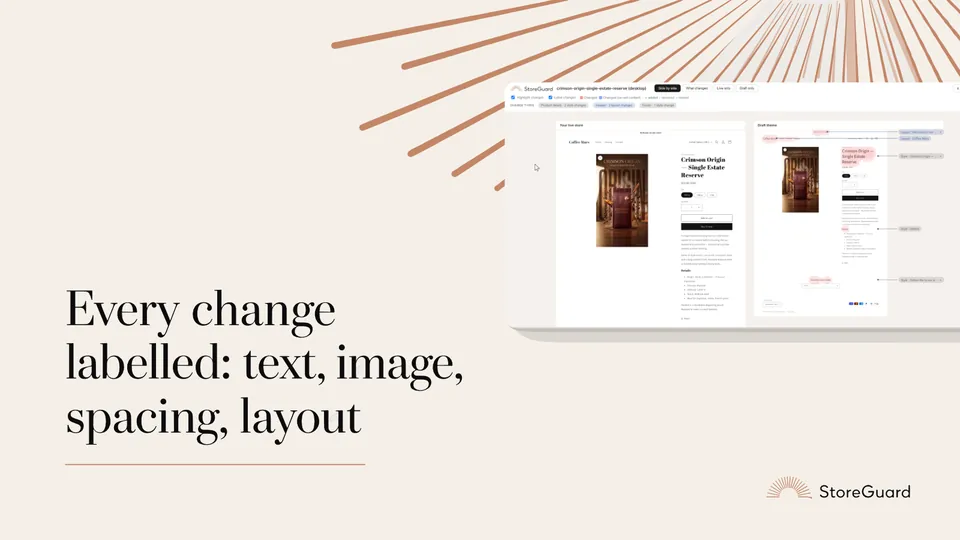
Named, not just highlighted
Each change is labelled by kind: text, image, video, spacing, layout or style. Added or removed. You see what moved, not just that something did.
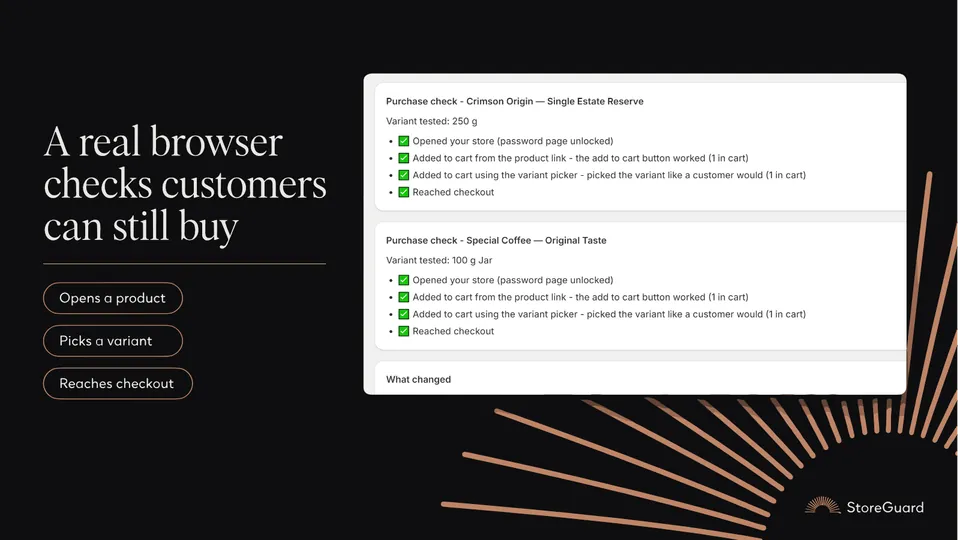
From product page to checkout
A real browser opens a product, picks a variant, adds it to the cart and confirms checkout is reachable. It stops there. No orders, no payments.
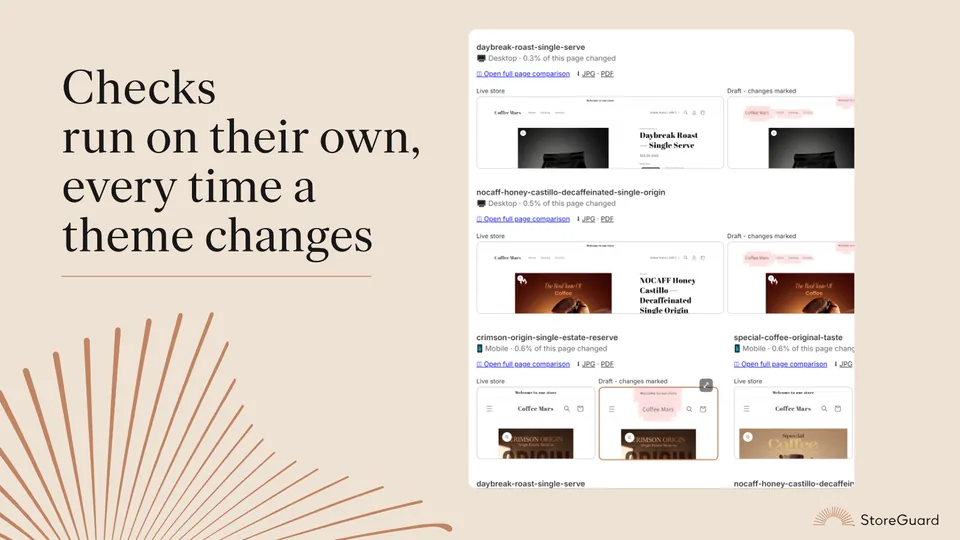
Nothing to remember
Every theme edit or publish starts a check on its own. Paid plans add daily or hourly checks. Passing checks stay quiet. Problems arrive by email.
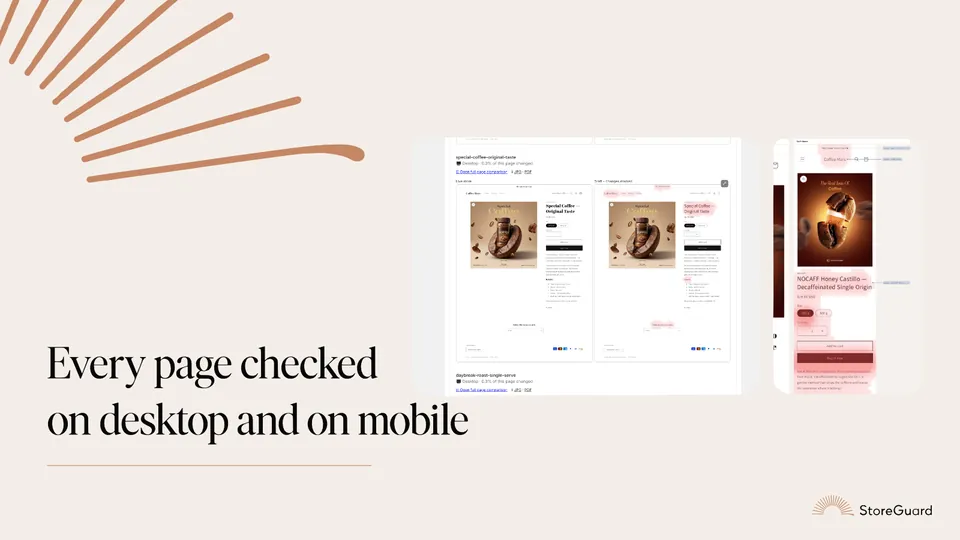
Both screen sizes
Desktop and mobile, every monitored page. Desktop is captured 1280 pixels wide and mobile 390, the way customers see your store.
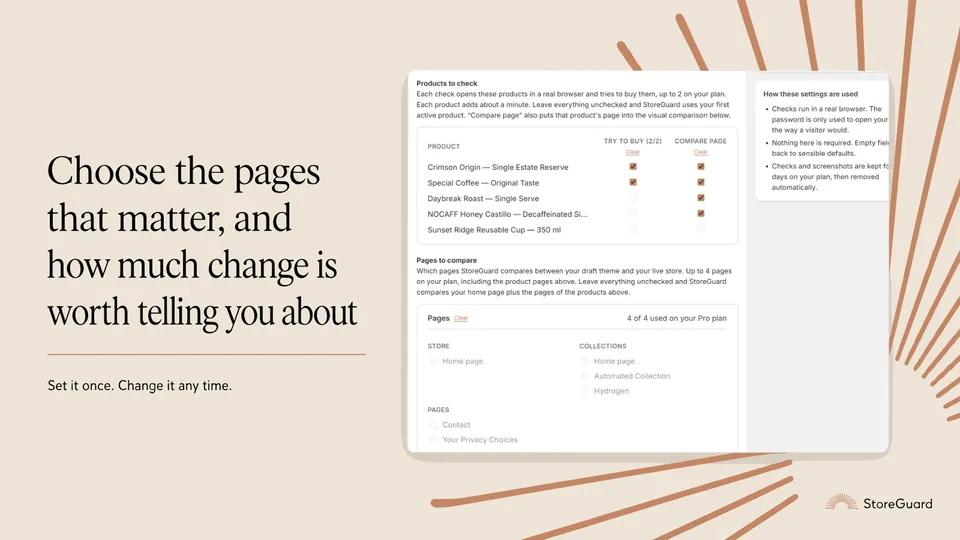
You decide what counts
Pick the pages and products to watch, and how much change counts as worth a look.
Shipping theme work for clients?
Before you publish, you get a page-by-page record of what changed and what did not. Export any view as JPG or PDF on Pro and Studio to show the client. After launch, every theme edit triggers a check, so you hear about a broken buy path before they do. StoreGuard installs per store and is read-only.
What StoreGuard can see
- Read-only access to themes, products and online store pages. It never changes your theme, products, prices or checkout.
- No customer data. No order access.
- The app, its database and screenshots are hosted in the EU.
- Your storefront password is encrypted.
- Uninstalling deletes everything StoreGuard stored for your store.
What it does not do
- It does not place orders or test payments.
- It does not replace code review or automated tests.
- It does not test speed or accessibility.
- It compares one draft at a time: the most recently updated unpublished theme.
- Blog articles are not monitored yet.
Plans
| Free$0does not expire | Pro$19per month, 14-day free trial | Studio$49per month | |
|---|---|---|---|
| Pages compared | Home page | Up to 4 | Up to 8 |
| Purchase check | Not included | 2 products | 10 products |
| Scheduled checks | Only when a theme changes | Daily | Hourly or daily |
| Checks you start yourself | 3 a month | Unlimited | Unlimited |
| When to flag a page | Fixed at 0.5% | You choose | You choose |
| JPG and PDF export | No | Yes | Yes |
| History kept | 7 days | 30 days | 90 days |
Free $0
does not expire
- Pages compared
- Home page
- Purchase check
- Not included
- Scheduled checks
- Only when a theme changes
- Checks you start yourself
- 3 a month
- When to flag a page
- Fixed at 0.5%
- JPG and PDF export
- No
- History kept
- 7 days
Pro $19
per month, 14-day free trial
- Pages compared
- Up to 4
- Purchase check
- 2 products
- Scheduled checks
- Daily
- Checks you start yourself
- Unlimited
- When to flag a page
- You choose
- JPG and PDF export
- Yes
- History kept
- 30 days
Studio $49
per month
- Pages compared
- Up to 8
- Purchase check
- 10 products
- Scheduled checks
- Hourly or daily
- Checks you start yourself
- Unlimited
- When to flag a page
- You choose
- JPG and PDF export
- Yes
- History kept
- 90 days
Every plan checks your store on every theme edit and publish, and emails you when something is wrong. Billed through your Shopify invoice.
Questions
What does StoreGuard actually do?
Two things. Before you publish a theme, it puts your draft theme next to your live store, page by page, on desktop and mobile, and marks every difference so you can see what publishing would change. And whenever a theme is edited or published, it opens a real browser and walks through buying something: opens a product, picks a variant, adds it to the cart and confirms checkout is reachable. If anything fails, you get an email.
Can StoreGuard change or break anything on my store?
No. It asks for three read permissions and no write permissions at all. It is not technically able to edit a theme, a product, a price or your checkout. It never enters payment details and never places an order. Checks stop at the checkout page.
My store is not launched yet and has a password. Does it still work?
Yes, and this is one of the main reasons people install it. Put your storefront password in Settings and checks open your store the same way a visitor with the password would. Most stores use StoreGuard this way before they launch.
Is there a trial?
Pro includes a 14-day trial. The Free plan does not expire, so you can also just keep using that.
StoreGuard opens inside your Shopify admin
There is no StoreGuard account, password or sign up. Install it from the Shopify App Store and it appears under Apps in your admin, signed in as your store.